A complete beginner-friendly guide to using the Bitcall OTP (One-Time Password) service purchase temporary numbers, manage live orders, and understand the secure "Frozen Balance" refund system.
What You Will Need
An active Bitcall account (panel.bitcall.io)
Sufficient balance for the service you need
A VPN (Highly recommended to match the country of the phone number)
Phase 1 : Find the OTP Menu
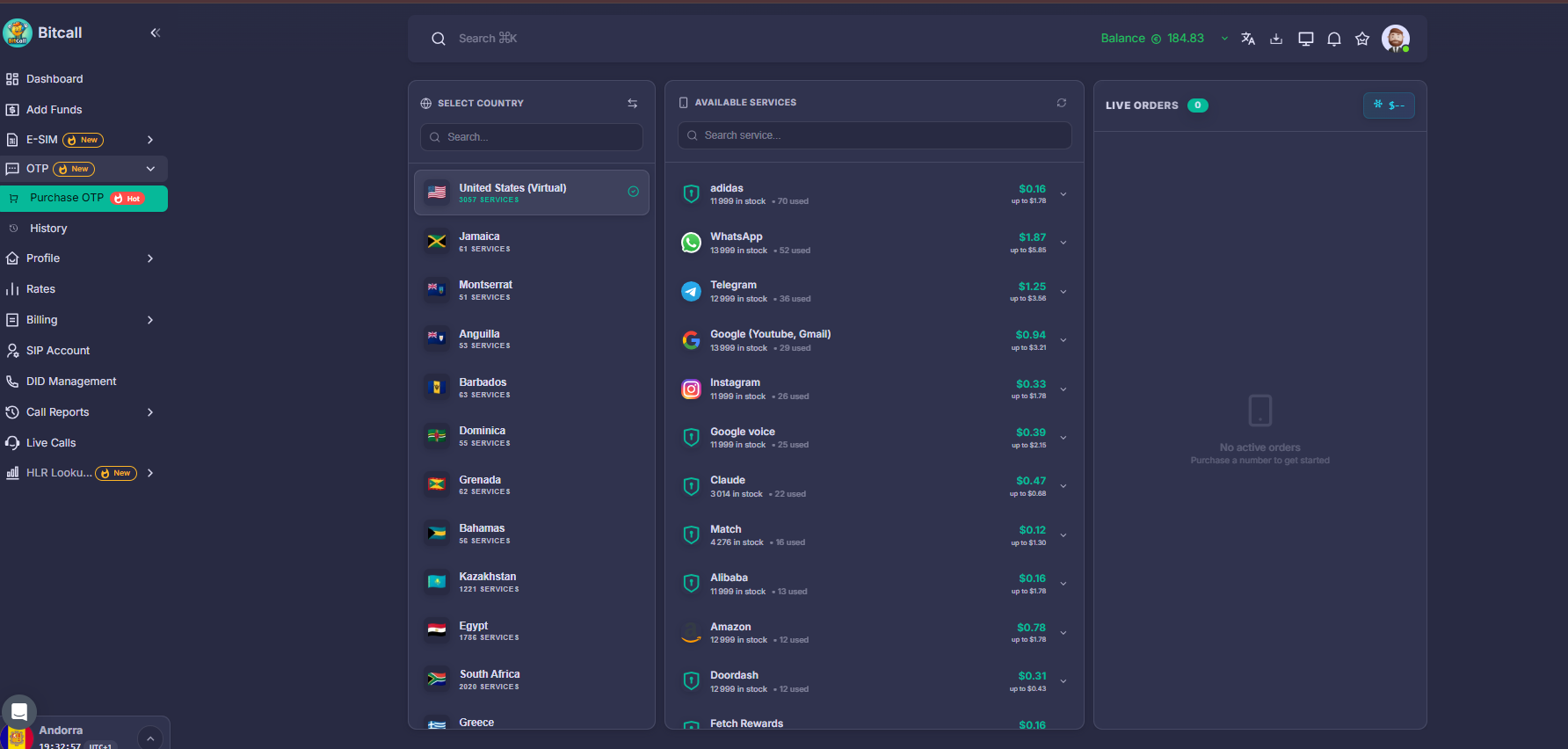
Log in to your Bitcall panel. In the left sidebar, click on OTP (New) and then select Purchase OTP.
Phase 2 : Select Your Service or Country
You can choose your number based on the Country or based on the Service (like Google, WhatsApp, etc.).
Using the Switch Feature:
Start by Country: Browse available countries first to see what services they offer.
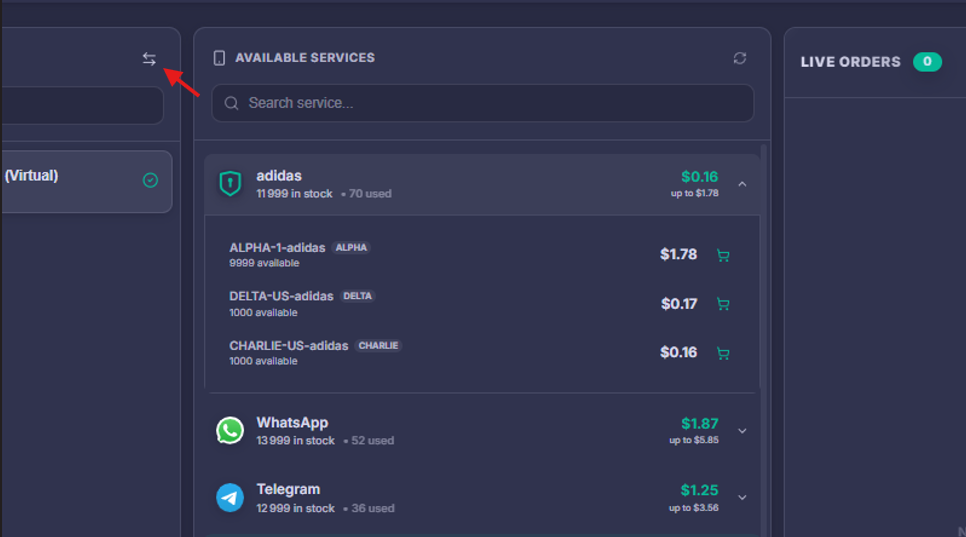
Start by Service: Toggle the "Switch" icon (two arrows) to pick the platform first, then see which countries have stock.
Phase 3 : Complete the Purchase
Once you find your service (e.g., Telegram), a list of providers like ALPHA, DELTA, or CHARLIE will appear.
Click the Price button or the Cart Icon next to the provider you want.
The order starts immediately.
Phase 4 : Manage Your Live Order
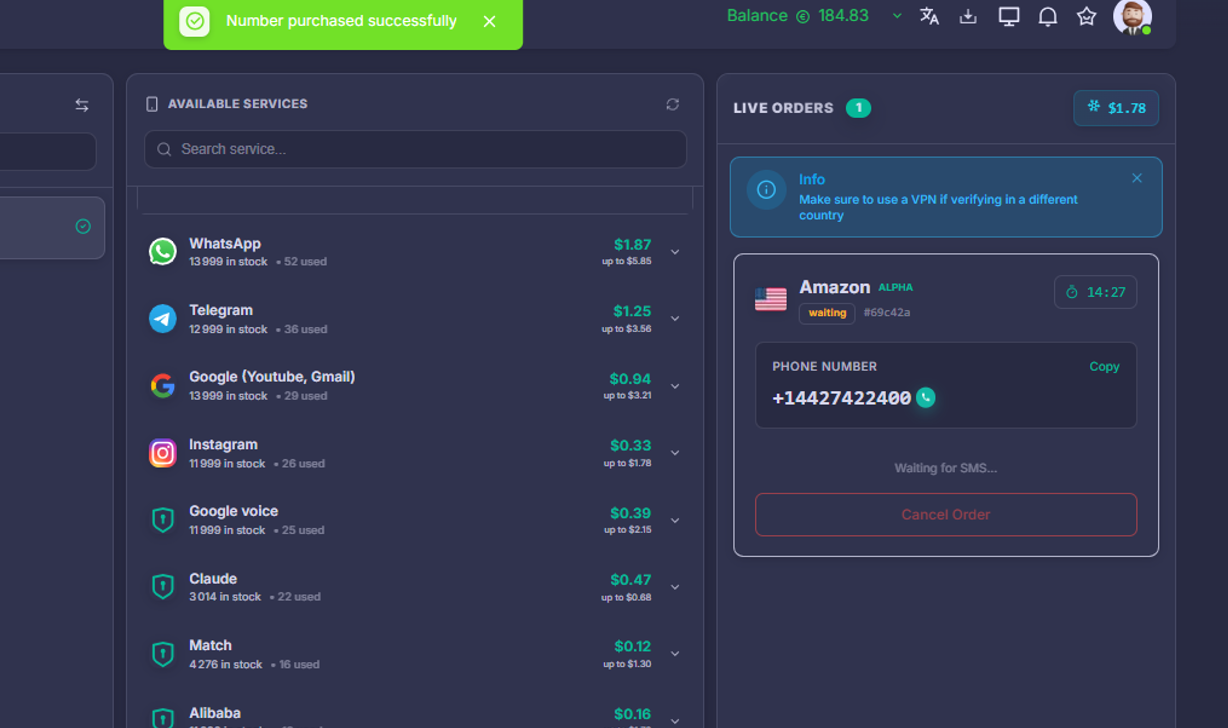
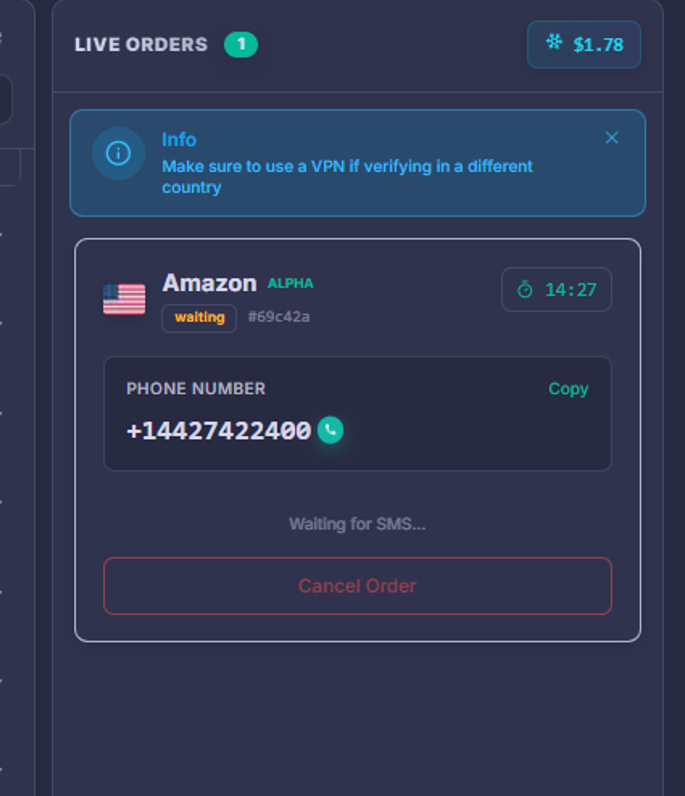
After purchasing, the LIVE ORDERS panel appears on the right.
Copy Number: Click to copy your temporary phone number.
Timer: You usually have 15–20 minutes to receive the SMS.
Waiting for SMS: The status will update automatically once the code arrives.
TIP
Keep the page open! If you close it, you can find your active number again by going back to the Purchase OTP page.
Understanding the "Frozen Balance" System
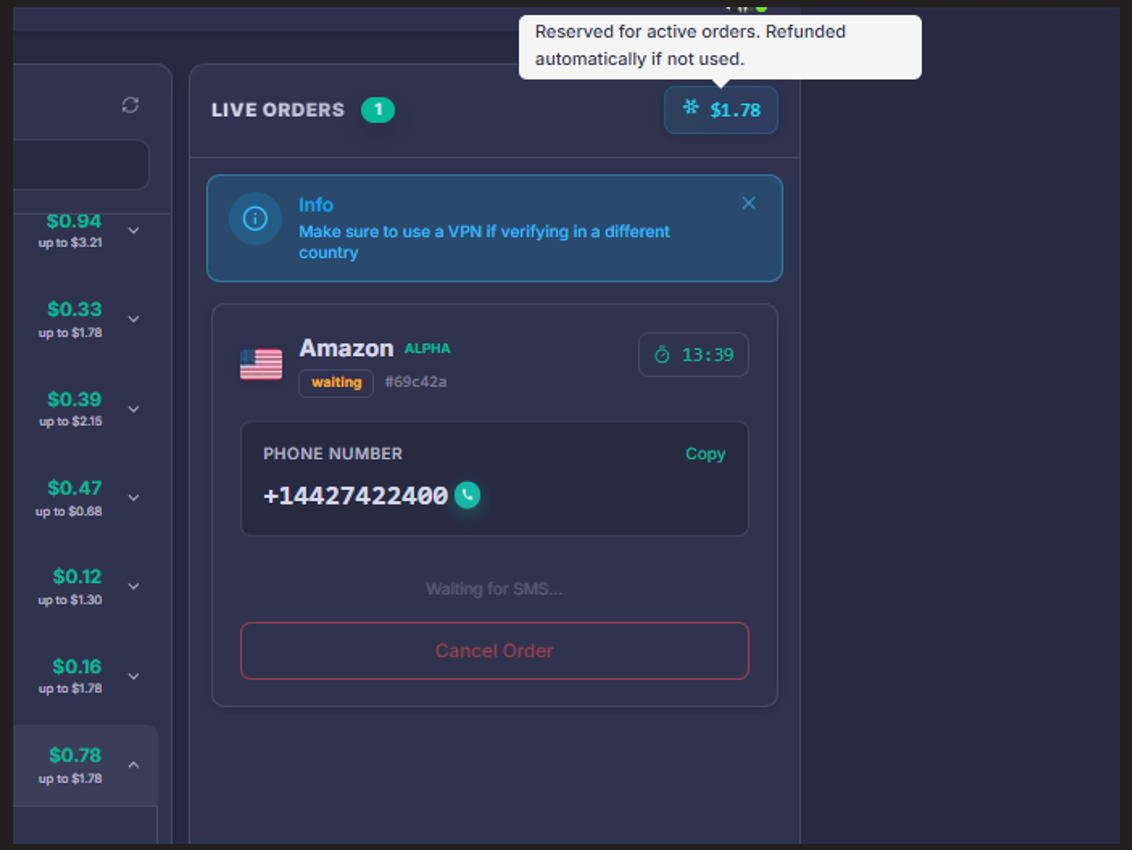
Bitcall uses a secure refund system called Frozen Balance:
Purchase: The money is "frozen" but not fully deducted yet.
Success: If you receive the SMS, the money is finalized.
Fail/Cancel: If no SMS arrives or you cancel the order, the money is instantly returned to your available balance. You are never charged for an SMS that doesn't arrive.
Review Your History
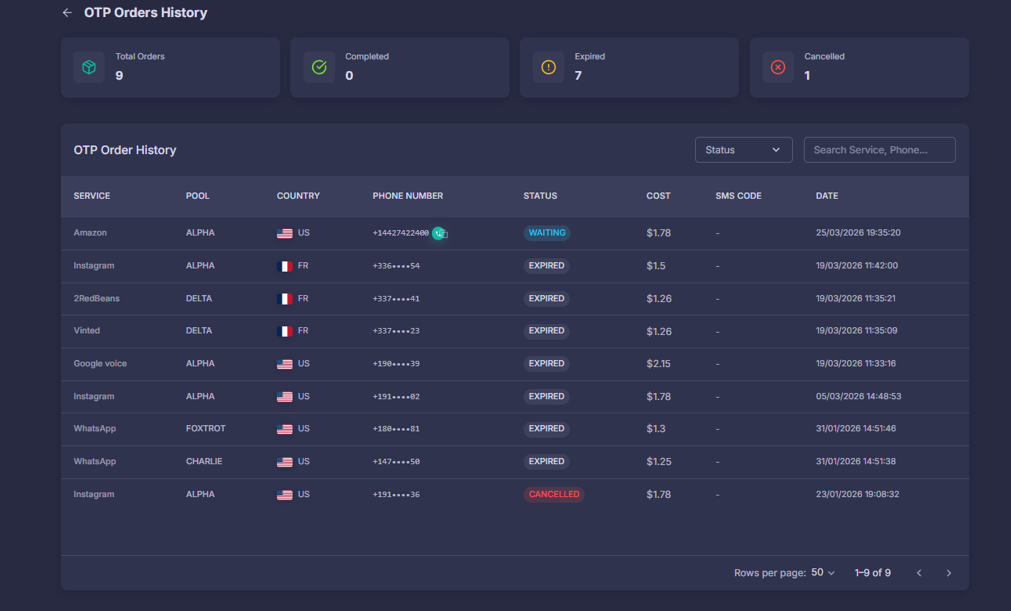
Go to OTP -> History to see your stats:
Total Orders: All requests you have started.
Completed: Number of successful SMS codes received.
Expired: Orders where the timer ran out (Refunded).
Cancelled: Orders you stopped manually (Refunded).
Expected Result
You get a temporary number, receive the verification code in the live panel, and complete your account activation without using your personal phone number.
Troubleshooting
SMS Not Arriving: If it takes more than 5 minutes, Cancel the order and try a different provider pool (e.g., switch from ALPHA to DELTA).
Number Already Used: Some numbers may have been used by others in the past. Just Cancel the order you get an instant refund and buy another.
VPN Issues: Many platforms (like Google or WhatsApp) will block numbers if your computer's IP address doesn't match the phone number's country. Always use a VPN.
"Waiting" status: If the timer hits zero, the order expires and you are automatically refunded.
No previous post
No next post