How to Add Balance to Your Bitcall Account
How to Add Balance to Your Bitcall Account
Top up your Bitcall account using crypto, PayPal, credit card, or any of the available payment methods. All payments are processed automatically and your balance updates instantly.

What You Will Need
An active Bitcall account (panel.bitcall.io)
A payment method ready (Credit Card, Crypto Wallet, or PayPal)
Step 1 : Go to Add Funds
Log in to panel.bitcall.io and click Add Funds in the left sidebar.
Step 2 : Enter the Amount
Enter any amount you want to add to your balance in the Amount field. You can also quickly select a preset amount 10, 100, 500, or 1,000 to speed things up.

Minimum top-up: card, PayPal and one-time crypto payments start at around €10 — the exact minimum for the method you pick is shown at checkout. Need to add less than that? Use a Static Wallet, where each cryptocurrency has its own much smaller minimum.
Step 3 : Choose Your Payment Method
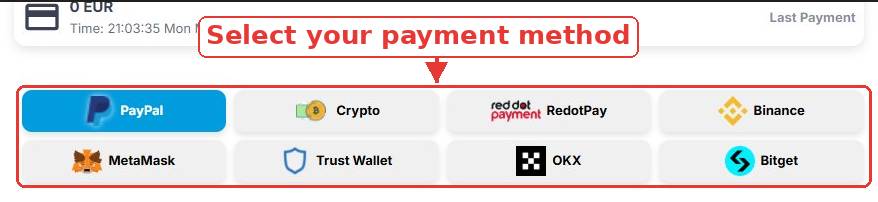
Select the payment method that works best for you:
Credit Card: Visa, Mastercard, Amex, Discover
PayPal: Personal or Business PayPal account
RedotPay: RedotPay account
Crypto Wallets: Binance, MetaMask, Trust Wallet, OKX Wallet, Bitget Wallet
Static Wallet: A permanent, reusable crypto deposit address
Direct Crypto: USDT, ETH, BTC, Litecoin, Solana, and more
Step 4 : Complete Payment
Check the "I have read and accept Terms & Policies" box.
Click the payment button to complete your purchase.

How Crypto Payments Work
If you select Crypto as your payment method:
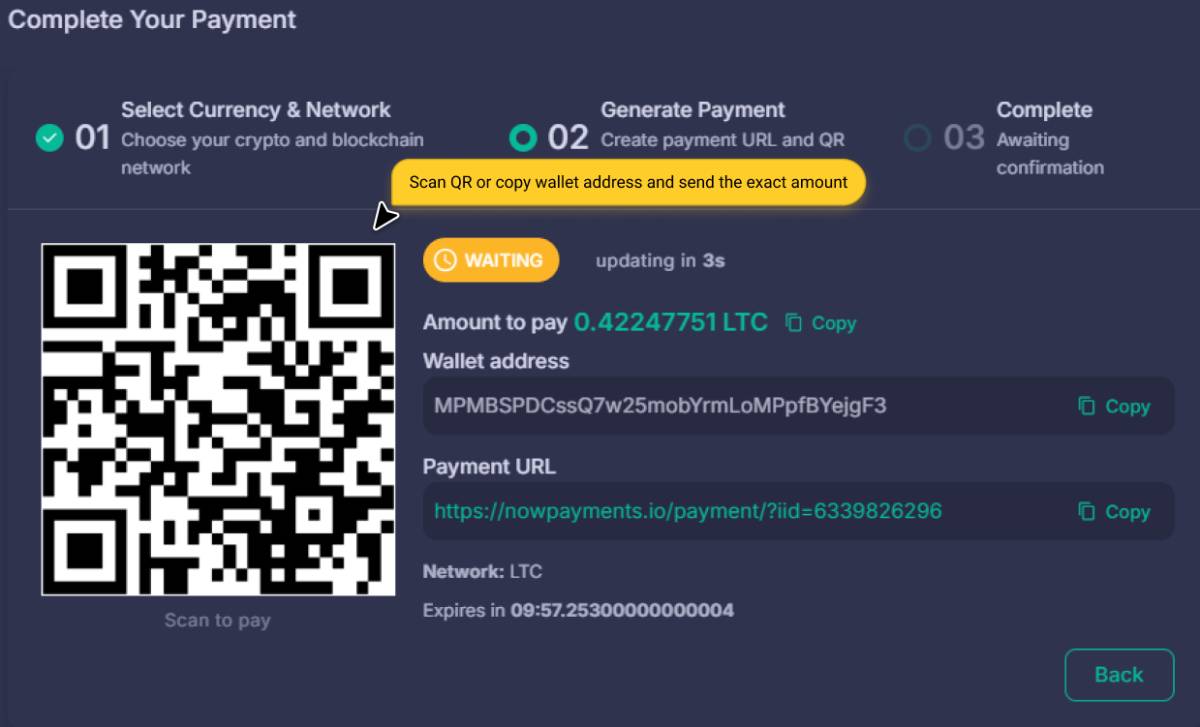
Exact Amount: You must send the exact amount shown.
Confirmations: Crypto payments require 5–30 minutes.
Wait: Do not send a second payment while pending.
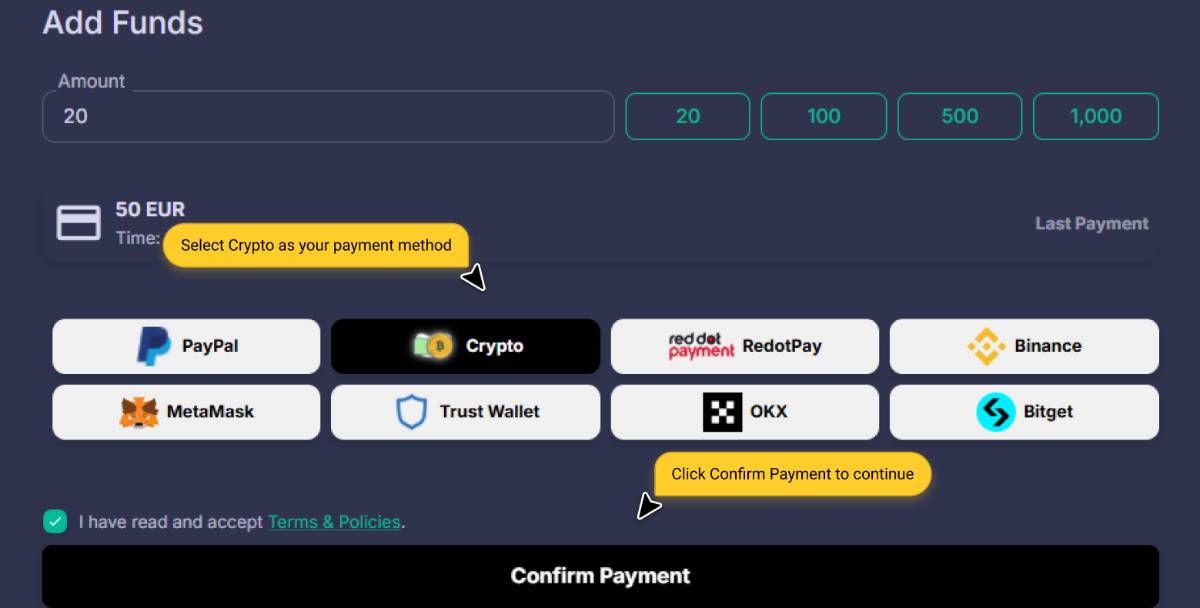
Step-by-Step Crypto Flow
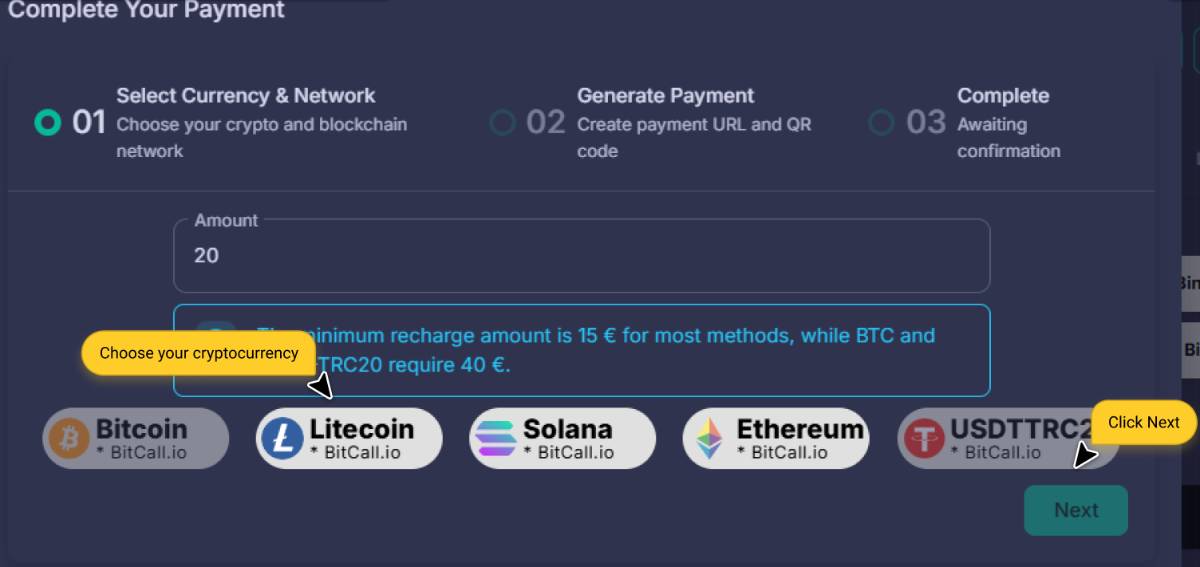
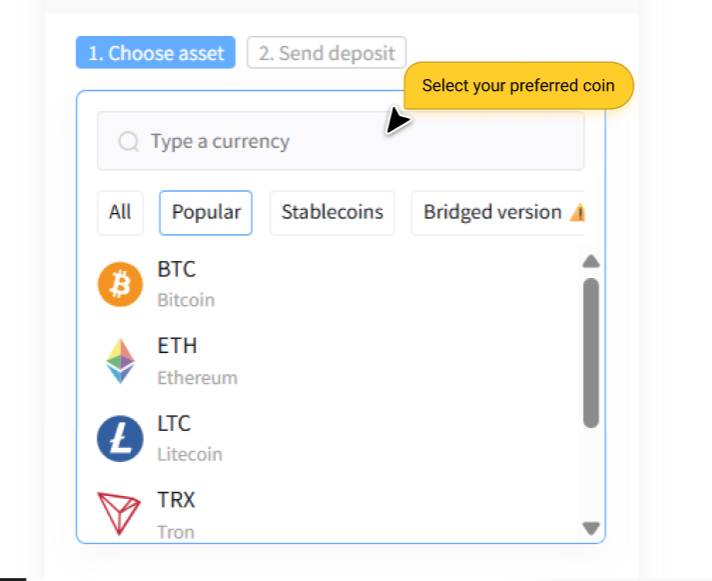
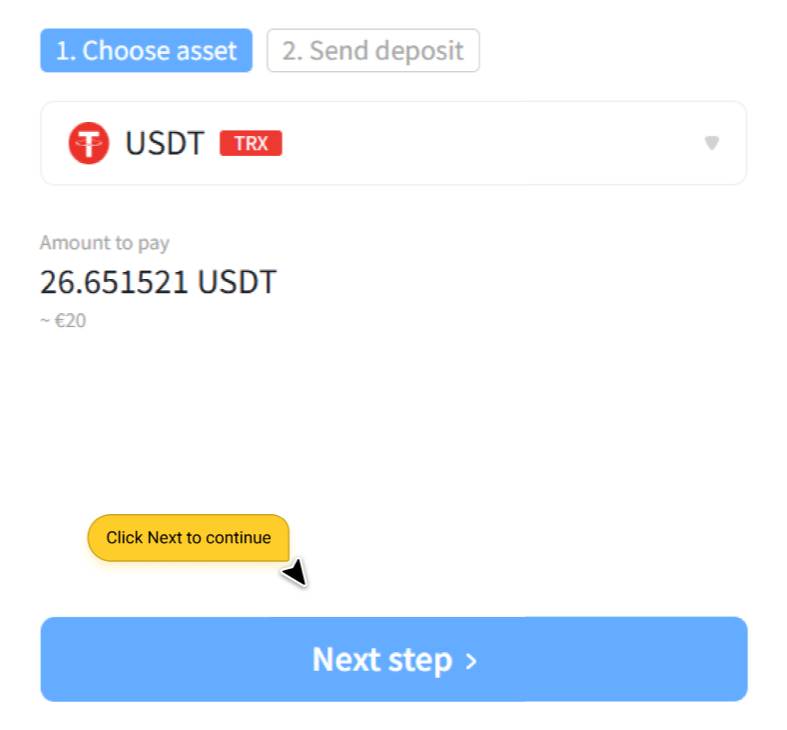
Select Currency: Choose Bitcoin, Litecoin, Solana, Ethereum, or USDT (TRC20)
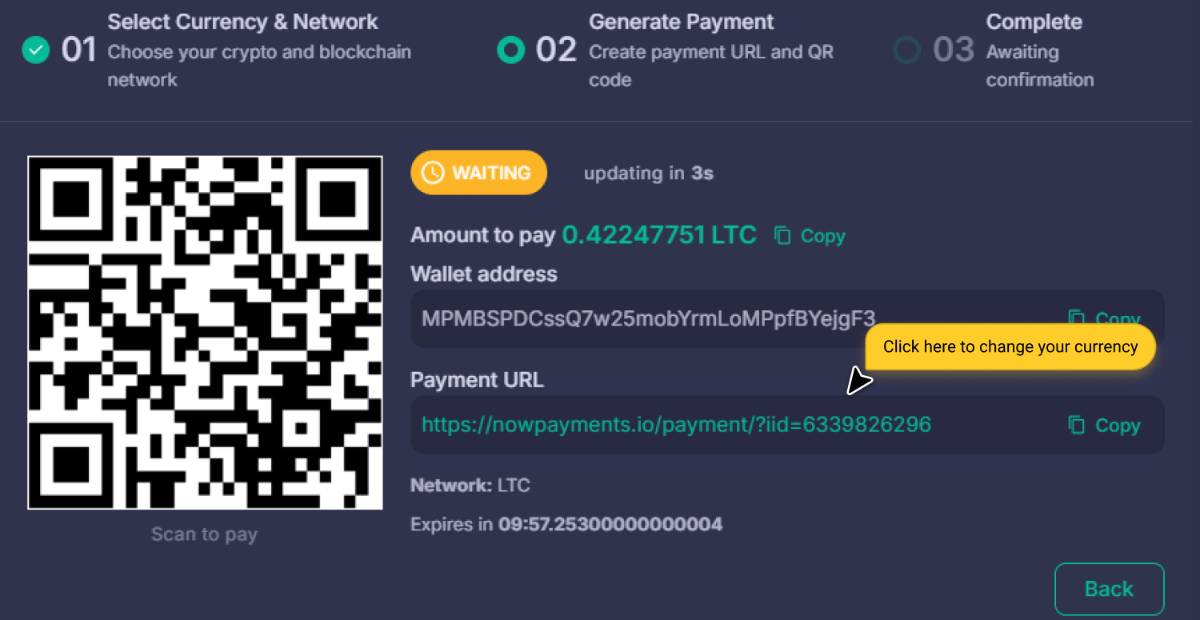
Generate Payment: QR code + wallet address appears
Send: Transfer from your wallet
Pay with Other Cryptocurrencies (NowPayments)
Click the Payment URL link
Change currency on NowPayments page
Follow wallet instructions
Static Wallet : Deposit to a Permanent Address
Prefer not to create a new payment every time you top up? Pick Static Wallet instead of Crypto on the Add Funds page.
No amount to enter: you choose a cryptocurrency and a network, and Bitcall generates a permanent deposit address.
Reusable forever: send crypto to that same address whenever you want, as often as you want.
Automatic credit: your balance updates as soon as the network confirms the transfer.
Lower minimum: each coin and network has its own small minimum (for example 0.00002 BTC) instead of the standard top-up minimum.
Full step-by-step guide: Static Crypto Wallet: Your Permanent Crypto Deposit Address.
Step 5 : Confirm Your Balance
After payment, your balance appears in the top bar. Check full history in Billing.
No previous post
Static Crypto Wallet: Your Permanent Crypto Deposit Address
On This Page
What You Will Need
Step 1 : Go to Add Funds
Step 2 : Enter the Amount
Step 3 : Choose Your Payment Method
Step 4 : Complete Payment
How Crypto Payments Work
Step-by-Step Crypto Flow
Pay with Other Cryptocurrencies (NowPayments)
Static Wallet : Deposit to a Permanent Address
Step 5 : Confirm Your Balance