What Is Bitcall and How It Works
What Is Bitcall and How It Works
Bitcall is a prepaid global VoIP and SMS platform that lets you make international calls, send SMS, and manage SIP traffic from a softphone, PBX server, or custom SIP client.
What Is Bitcall?
Bitcall is a secure, global voice and SMS platform built for businesses, resellers, and telecom professionals. Whether you are a solo caller or a full-scale VoIP vendor, Bitcall gives you full control over how you send voice and SMS traffic with transparency, flexibility, and power.
With Bitcall you get:
SIP-based voice calling
Global SMS delivery
User Dashboard: Full visibility over your account and traffic
Reseller Capabilities: White-label branding options for your own business
Value-Added Services: eSIMs, DIDs, OTP numbers, HLR lookups, and a Telegram bot for alerts
How Bitcall Works
Bitcall is prepaid and usage-based no hidden fees, no lengthy contracts.
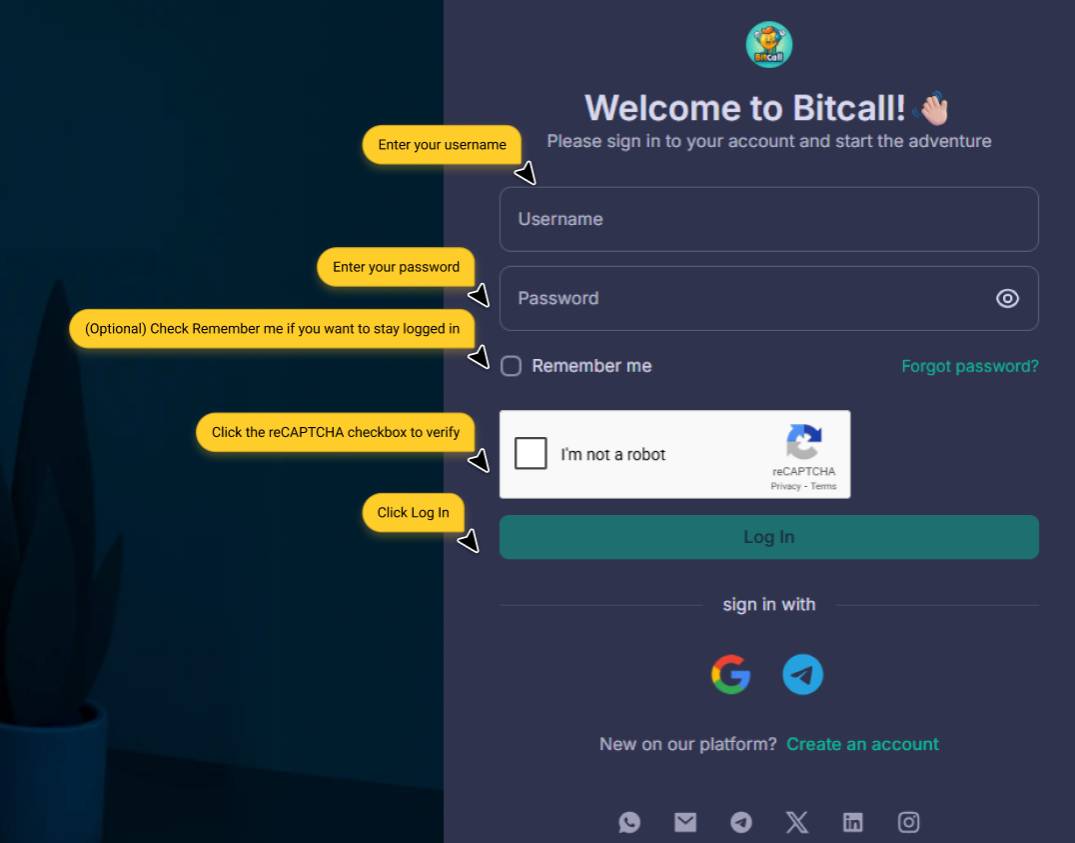
Step 1 : Create Your Account and Log In
Go to panel.bitcall.io and sign up. For the full step-by-step registration guide, see How to Create Your Bitcall Account.
Step 2 : Choose Your Connection Method
Softphone app: Zoiper, Linphone, Bria, MicroSIP, Grandstream Wave
PBX server: Asterisk, FreeSWITCH, 3CX, Vicidial
Custom SIP client: Your own web or desktop application
Step 3 : Configure Your SIP Client
Once you have your SIP credentials from the SIP Account section in your panel, open your softphone app or PBX server and enter the following settings:
Setting Value
SIP Domain gateway.bitcall.io
SIP IP [Your Provided IP]
Port 5060
Transport UDP (default), TCP and TLS also supported via domain only
CAUTION
TCP and TLS only work when using the domain. They do not work with the raw IP address.
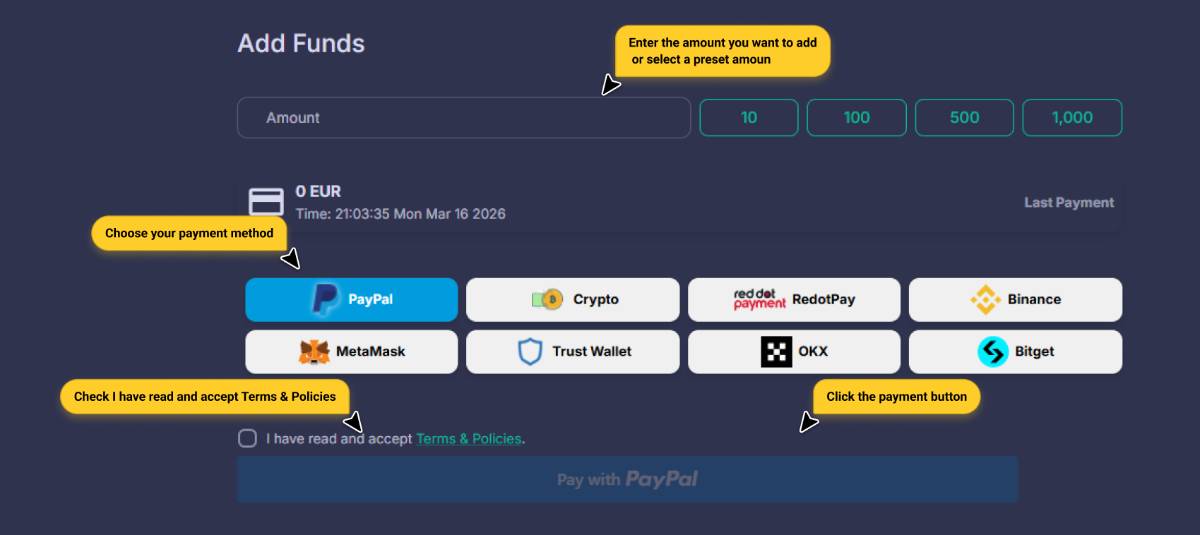
Step 4 : Top Up Your Account
Add funds using Crypto, PayPal, or other available payment methods. Your balance is available instantly after payment.
Step 5 : Explore Everything Bitcall Offers
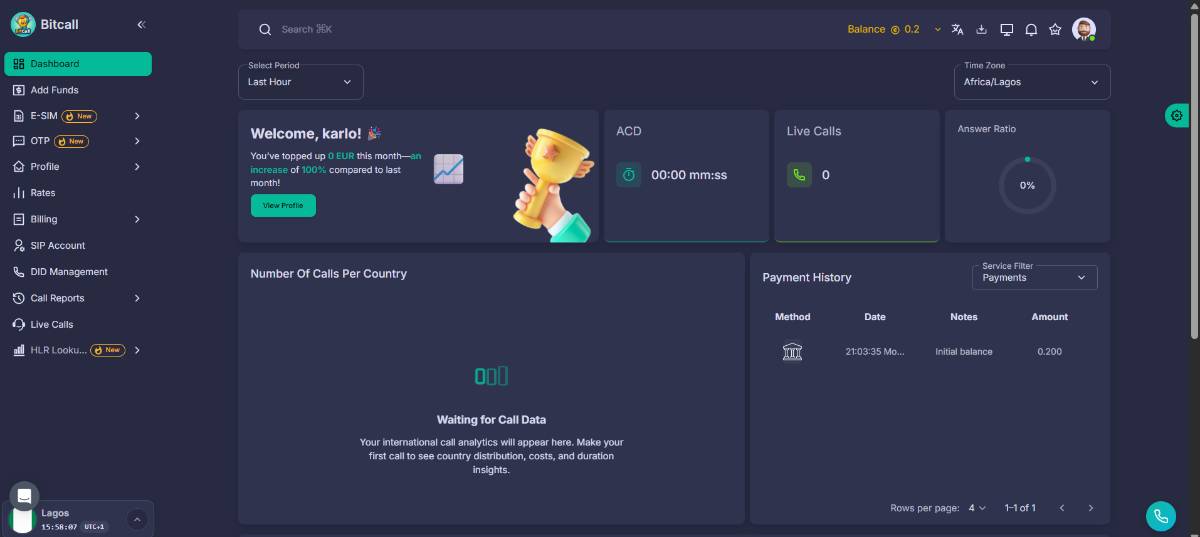
OTP: Purchase temporary phone numbers for verification codes
eSIM: Activate data plans for 195+ countries
HLR Lookup: Validate phone numbers and check network status in real time
DID Management: Set up trunks and control incoming call routing
Call Reports: View detailed logs (duration, cost, status)
Live Calls: Monitor active calls in real time
Rates: Check per-minute call pricing before dialing
Billing: Manage invoices and full payment history
Who Is Bitcall For?
Resellers wanting to run their own white-labeled panel
Telecom providers managing large volumes of SIP traffic
Developers integrating SIP calling into their platforms
Businesses and individuals looking for low global rates
Anyone looking for a transparent, self-managed VoIP solution
Expected Result
Your account is active, your SIP client is configured, and your balance is topped up. You can now make and receive calls worldwide through your Bitcall account.
Troubleshooting
My softphone is not connecting: Ensure you are using gateway.bitcall.io as the SIP domain and port 5060 with UDP transport
Balance is not showing after top-up: Crypto payments may take a few minutes for blockchain confirmation. Other methods normally take 1-3 minutes. Refresh the page and check the Billing section
Unsure which softphone to use: Zoiper is the easiest option for beginners and works on iOS, Android, Windows, and Mac
Trusted IP vs SIP Credentials on Bitcall Which One Should You Use?
How to Create Your Bitcall Account (Step-by-Step Guide)
On This Page
What Is Bitcall?
How Bitcall Works
Who Is Bitcall For?
Expected Result
Troubleshooting