How to Create Your Bitcall Account (Step-by-Step Guide)
How to Create Your Bitcall Account (Step-by-Step Guide)
A step-by-step guide to signing up, verifying your email, and logging into the Bitcall dashboard for the first time in under 5 minutes.

What You Will Need
A valid email address you have access to
A secure password
A web browser (Chrome, Firefox, Safari, or Edge)
Step 1 : Open the Bitcall Panel
Go to https://panel.bitcall.io in your browser. You will land on the Bitcall login and signup screen.
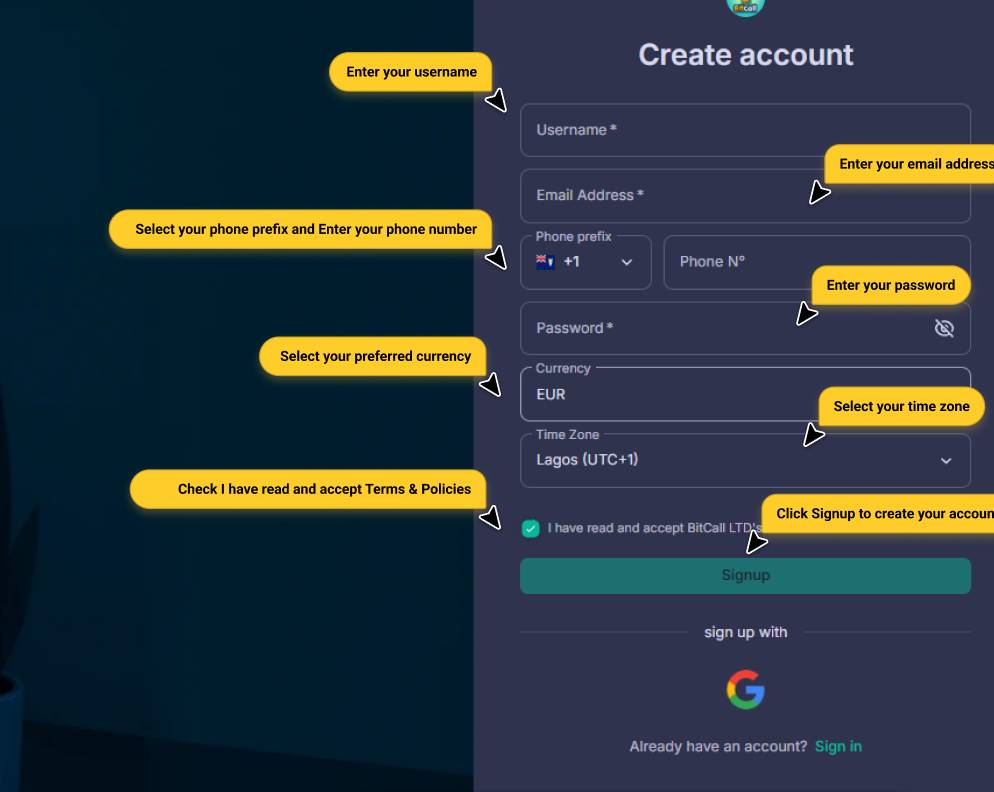
Step 2 : Sign Up for a New Account
Click the Sign Up tab and fill in the following fields:
Field Description
Email Address Your main login email also used for balance alerts
Password Must be strong at least 8 characters
Confirm Password Re-enter your password to confirm
Once ready, click Create My Account.
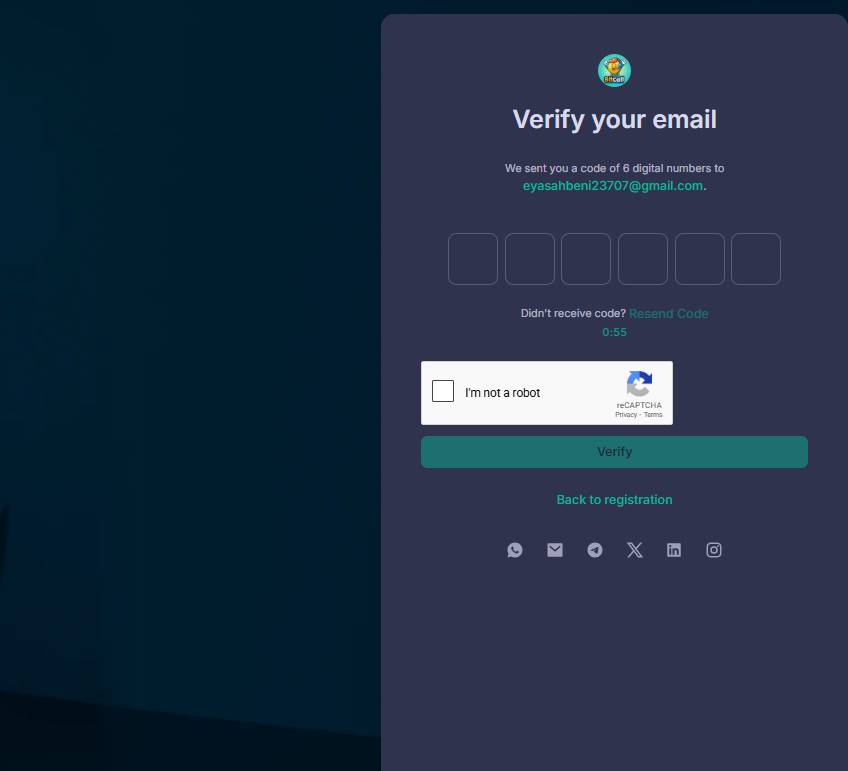
Step 3 : Verify Your Email
You will receive a confirmation email with the subject:
"Welcome to Bitcall Verify Your Email"
Click the verification link inside. Your account is now activated.
CAUTION
Did not receive it? Check your spam or promotions folder.
Step 4 : Log In to the Panel
Go back to panel.bitcall.io and log in using your email and password. Click Login.
Step 5 : Explore Your Dashboard
Once inside, here is what you will find in your dashboard:
Dashboard Monitor performance, usage, payment history, and live stats
Add Funds Add balance using Crypto, PayPal, or other methods
E-SIM Manage 195+ country data plans
Profile Manage personal details, notifications, and security
SIP Account View credentials, set password, and manage IP authentication
DID Management Control incoming call routing and trunks
Call Reports Detailed logs of all calls (duration, cost, status)
HLR & OTP Validation services and temporary numbers
Pro Tips for New Users
Security: Use a strong password your account controls real telecom traffic
IP Auth: Whitelist your IP in the SIP Account section if using a PBX server
Alerts: Check email settings to receive balance alerts
Expected Result
You are now logged into your Bitcall dashboard. Your SIP credentials are ready and you can start setting up your softphone or PBX to make your first call.
Troubleshooting
Did not receive verification email: Check spam/promotions. If missing, contact support via live chat
Forgot password: Click Forgot Password on the login page for a reset link
Cannot log in after verifying: Ensure you use the exact email/password from signup (passwords are case-sensitive)
What Is Bitcall and How It Works
How to Manage Your SIP Account in Bitcall
On This Page
What You Will Need
Step 1 : Open the Bitcall Panel
Step 2 : Sign Up for a New Account
Step 3 : Verify Your Email
Step 4 : Log In to the Panel
Step 5 : Explore Your Dashboard
Pro Tips for New Users
Expected Result
Troubleshooting