AI Voice Calls Dropping After 30 Seconds? The RTP Keepalive Fix
AI Voice Calls Dropping After 30 Seconds? The RTP Keepalive Fix
AI voice calls (Vapi, Retell, Bland) that drop after ~30–60 seconds are almost always an RTP inactivity timeout during the agent's thinking gaps. Here's why, and how to fix it.

⚡ Quick answer
If your AI voice agent's calls drop after about 30–60 seconds, the cause is almost always an RTP inactivity timeout during the agent's "thinking" gaps. While the AI is generating its reply, the audio (RTP) stream can briefly go quiet. If nothing is flowing, an SBC, NAT pinhole, or RTP proxy somewhere in the path decides the media is dead and tears the call down.
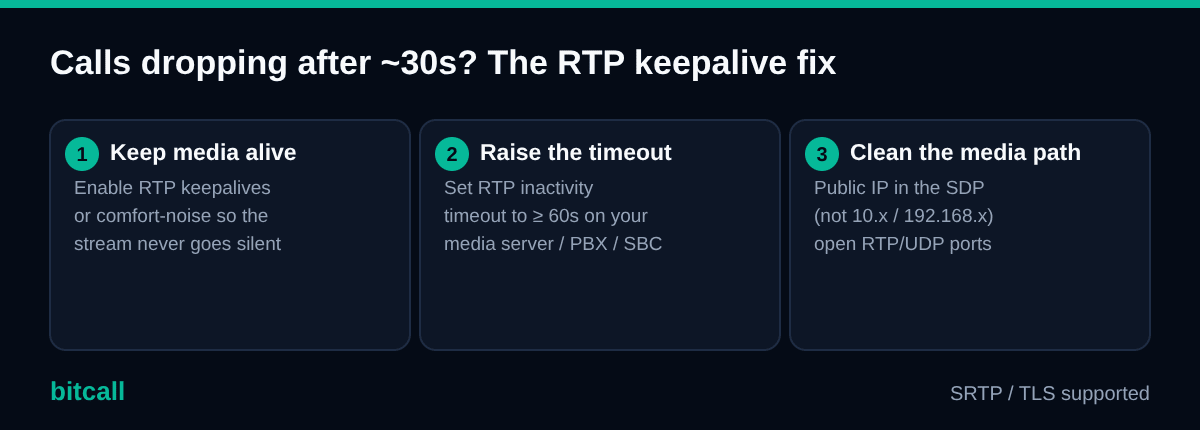
The fix, in three moves:
- Enable RTP keepalives or comfort-noise so a low-level stream keeps flowing during silence.
- Raise the RTP inactivity timeout on your media server / PBX to at least 60 seconds.
- Check the media path — make sure the SDP advertises a reachable public IP (not a private one) and your firewall allows the RTP/UDP port range.
This applies to outbound AI calls on Vapi, Retell, Bland, and any custom stack.
🤔 Why does this happen with AI agents specifically?
A normal phone call has near-constant audio in both directions, so the media stream never looks "idle." An AI agent is different: between the caller finishing a sentence and the agent's voice starting, there's a short gap while speech-to-text, the LLM, and text-to-speech do their work. During that gap, little or no RTP may be sent.
Devices in the media path watch for silence. Many will tear down a call after a fixed window of RTP inactivity — often right around the 30–60 second mark, which is why the drop feels so consistent.
🛠️ How to fix it
1. Keep the media stream alive
Turn on RTP keepalives (also called comfort-noise generation, or silence packets) so the media stream never goes fully silent. Most AI voice platforms and SBCs expose this — check your platform's media or telephony settings.
2. Increase the RTP inactivity timeout
On your media server / PBX / SBC, set the RTP timeout to at least 60 seconds (longer is safer for slower models). This gives the agent room to "think" without the call being judged dead.
3. Confirm the media path is clean
A surprising number of "drops" are really NAT problems:
- The SDP
c=line must contain a public, reachable IP — not a private10.x/192.168.xaddress. - Your firewall must allow the RTP/UDP port range used by your platform or PBX.
- If you run your own Asterisk/FreeSWITCH leg, make sure NAT handling is configured. (See Configure IP-to-IP SIP Trunk with Asterisk.)
🧩 Related symptom: the call connects but the agent never speaks
If the call answers but you hear silence or one-way audio, the RTP isn't reaching the agent's media server at all. Same root area as above:
- Wrong/private IP in the SDP, or
- A blocked RTP/UDP port range on a firewall.
Fix the media path and the agent will start hearing the caller.
📍 Where to set this on common platforms
| Platform | Where it lives |
|---|---|
| Vapi | Media/telephony settings on the assistant or SIP trunk; check the networking & firewall reference for RTP port ranges and signalling IPs. |
| Retell | Custom telephony / SIP trunk settings; confirm RTP handling on both the inbound and outbound trunk legs. |
| Your own PBX (Asterisk/FreeSWITCH) | rtptimeout / RTP keepalive and NAT settings on the SIP/RTP profile. |
☎️ The Bitcall (carrier) side
Bitcall provides the outbound SIP trunk and supports SRTP and TLS. RTP keepalives and inactivity timeouts are configured mainly on the AI platform and any SBC/PBX you run — that's where the timeout decision is made.
If calls still drop on a specific destination or route after you've enabled keepalives and raised the timeout, it may be a route-level media issue worth checking with us. Reach support with a sample call time, the destination, and your caller ID, and we'll look at the route.
❓ FAQ
Why do AI voice calls drop after 30 seconds? RTP keepalives aren't configured. During the AI's response-generation gaps, no audio is sent, and a device in the media path times out the RTP stream. Enable keepalives/comfort-noise and set the RTP inactivity timeout to at least 60 seconds.
Is this a Bitcall problem or a platform problem? Almost always a media-path / platform configuration issue, not the carrier. The timeout is enforced by your AI platform or SBC. Fix it there first; if a specific route still misbehaves, contact Bitcall support.
Does using G.711 help? Indirectly — G.711 avoids transcoding in the audio pipeline, which keeps the media path simpler and latency lower. It won't fix an inactivity timeout on its own, but it's the recommended codec for AI voice.
🧠 TL;DR
✅ Cause: RTP goes quiet while the AI "thinks" → a device times out the stream ✅ Fix 1: enable RTP keepalives / comfort-noise ✅ Fix 2: raise RTP inactivity timeout to ≥ 60s ✅ Fix 3: clean media path (public IP in SDP, open RTP/UDP ports)
Related: Connect Vapi to Bitcall (outbound SIP trunk) · SIP trunking for AI voice agents (full explainer)
Connect Vapi to Bitcall (Outbound SIP Trunk)
Connect Retell to Bitcall (Outbound SIP Trunk)
On This Page
⚡ Quick answer
🤔 Why does this happen with AI agents specifically?
🛠️ How to fix it
🧩 Related symptom: the call connects but the agent never speaks
📍 Where to set this on common platforms
☎️ The Bitcall (carrier) side
❓ FAQ
🧠 TL;DR